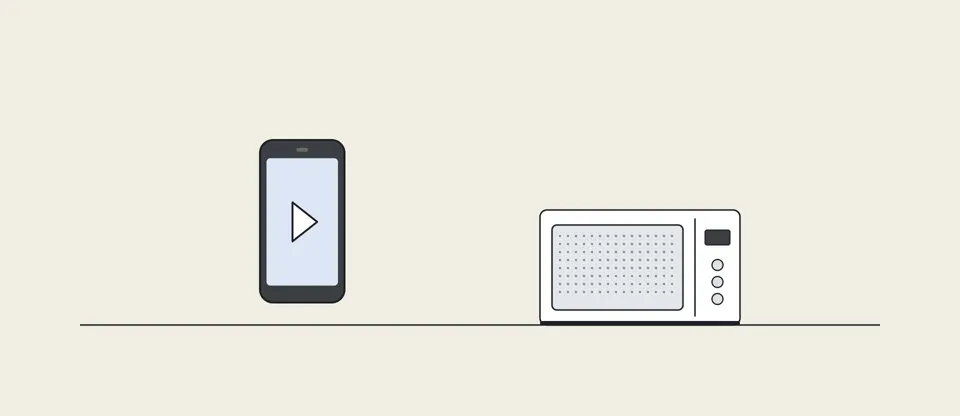
You are watching a video on your phone in the kitchen. Someone starts the microwave, and the video freezes. The oven is not touching your phone. So why does it care?
There is no cable between your phone and the router. The video comes through the air, and through walls. So how does it travel? Once you see it, you will know where to put the router, which network to pick, and why the oven gets in the way.
Your phone is two rooms away from the router. How much of the router's power actually reaches it? About half, about a hundredth, or less than a billionth? Pick one before you read on.
You have probably pictured a beam aimed at your phone, like an invisible cable. But a router does not aim anything. Its signal spreads out in every direction, through the whole flat, and into your neighbours' flats too.
Writing on a wave

Look closer, and there is an antenna. It turns the router's electrical signal into a radio wave. Your phone has one too, hidden inside. The two talk on a channel, a narrow slice of radio frequencies they share.
A steady wave carries no message. To write on it, the router changes it in tiny bursts: stronger or weaker, and a little earlier or later. Each burst, with its own strength and timing, is called a symbol. Picture a grid of dots. Strength is how far a dot sits from the centre, and timing is its angle. With sixteen dots, each symbol picks one of sixteen, which is four bits at once.
More bits at once
More dots means more bits per symbol: 256 dots carry eight bits, and 1,024 carry ten. But the grid gets crowded. The dots sit twice as close together, so the signal has to be about four times cleaner to tell them apart.
Wi-Fi also splits its channel into hundreds of narrow sub-channels, all sending at the same time. A twenty megahertz channel carries about a hundred and forty megabits a second at best. Make the channel forty megahertz wide, and you double the sub-channels and the speed. At a hundred and sixty megahertz, the speed reaches about twelve hundred megabits.
More dots carry more bits, but they sit closer together, so the signal has to be about four times cleaner to tell them apart.
A whisper through walls
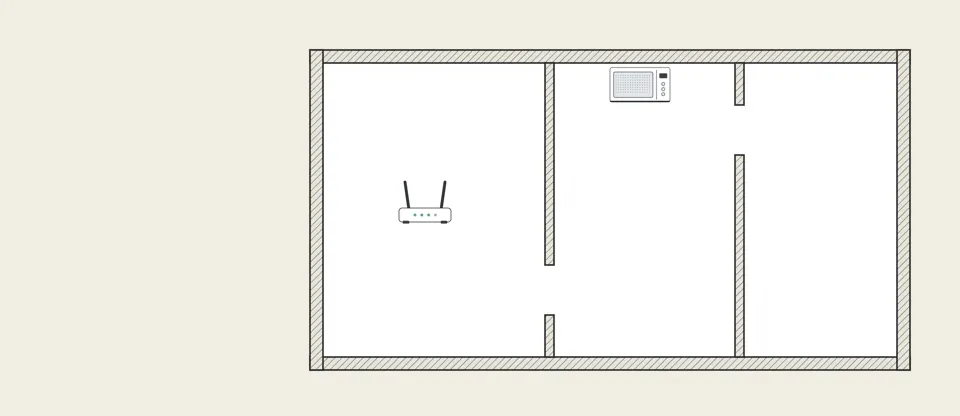
The router's wave spreads out like ripples on a pond. Double the distance, and your phone catches only a quarter as much. In Europe and the UK, a home router may send at most a tenth of a watt. Right next to it, your phone receives about a millionth of a watt. Two rooms away, it might be about a fifth of a billionth of a watt, five hundred million times weaker. So the answer is less than a billionth.
Walls take their share too. Plasterboard and glass barely notice, letting about nine tenths through. A brick wall lets through only about a third. And you are mostly water, which soaks up these waves. In one measurement, a single person in the way made the signal about ten times weaker.
Your phone also hears stray radio from everywhere. When the signal is strong, that noise barely moves the dots. When it is weak, the dots smear into each other, and your phone misreads them.
When the signal is weak, the dots smear into each other. Wi-Fi then switches to fewer, wider-spaced dots, and it slows down.
The two bands differ too. Even in open air, 5 gigahertz arrives about four and a half times weaker than 2.4 gigahertz, with antennas of the same size. So 5 gigahertz is fast up close, and 2.4 gigahertz reaches farther.
Taking turns

Your router is not alone on its channel. Your laptop, your phone and your TV all share the same air, so Wi-Fi has a rule: listen first. If someone else is talking, wait a few millionths of a second, then try again. In a block of flats, neighbours' routers can hear yours too, and everyone takes turns. So a strong signal can still be slow, because it spends its time waiting. In one study, crowded, badly set-up networks ran up to three times slower.
The 2.4 gigahertz band is crowded by design. The whole band is only eighty-three and a half megahertz wide, which fits only three or four channels that do not overlap. At 5 gigahertz, there is more than five times as much room.
Use it
A microwave oven works in the same band as 2.4 gigahertz Wi-Fi. Its metal box keeps almost all of its power, about a thousand watts, inside. But a tiny bit leaks out as noise that pulses on and off.
To your router, that leaked noise sounds like someone talking.
So the router waits, and when it does send, the noise smears the dots. In one lab test, a running oven cut Wi-Fi speed by between a third and nine tenths. The 5 gigahertz band does not have this problem, because ovens send nothing there.
And no, the same kind of wave does not mean your router is cooking you. An oven makes ten thousand times more power than a router may send, and keeps it in a metal box. A metre from a router, you get about a thousandth of the limit. Health agencies find no convincing evidence of harm.
Check and recap
Quick check. Your phone shows full bars, right next to the router, but the video still crawls. How can that be? The bars show only how strong the signal is. On a crowded channel, your router still has to wait its turn.
Explain the frozen video to someone at home in four lines. Start with the dots on the wave, and end with the crowded 2.4 gigahertz band.
In one breath
The oven's leak is noise in the same band your Wi-Fi uses, so your router waits and the dots blur. Switch your phone to the 5 gigahertz network, and the oven cannot touch it.